2026 में नया Voter ID बनवाने का तरीका लगभग वही है, लेकिन अब सारी प्रक्रिया Election Commission के नए Voters’ Service Portal से होती है। Official portal यहाँ है: Voters’ Service Portal (ECI)
कौन बनवा सकता है?
- आपकी उम्र 18 साल या उससे ज्यादा हो
- या आने वाले qualifying date तक 18 होने वाले हों
- आप Indian citizen हों
- जिस area में रहते हैं, वहीं का voter registration करा सकते हैं
Online Voter ID बनाने का तरीका (2026)
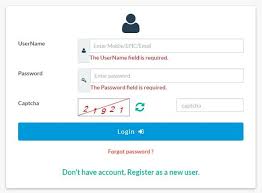
- Voters’ Service Portal (ECI) खोलें
- “New Voter Registration” पर क्लिक करें
- Mobile number से Sign Up/Login करें
- Form 6 चुनें (नया voter registration के लिए)
- अपनी details भरें:
- Name
- DOB
- Address
- Family details
- Documents upload करें:
- Age proof
- Address proof
- Passport size photo
- Submit करें
- Reference Number save कर लें — इससे status check होगा
कौन-कौन से Documents लगते हैं?
- Aadhaar Card (optional लेकिन useful)
- Address proof (bijli bill / bank passbook / passport)
- DOB proof (10th marksheet / birth certificate)
- Passport size photo
Mobile App से भी Apply कर सकते हैं
Official App
Offline तरीका
आप अपने:
- BLO (Booth Level Officer)
- ERO Office
में जाकर Form 6 भर सकते हैं।
कितना समय लगता है?
- Verification के बाद आमतौर पर 15–30 दिन
- Physical card पोस्ट से आता है
- Approval के बाद e-EPIC online डाउनलोड कर सकते हैं
Important 2026 Update
कुछ users ने 2026 में DOB selection और Aadhaar e-sign issues report किए हैं। अगर website error दे:
- browser बदलकर try करें
- Voter Helpline App use करें
- या सीधे BLO office जाएँ
How to Apply for a New Voter ID in India (2026 Guide)
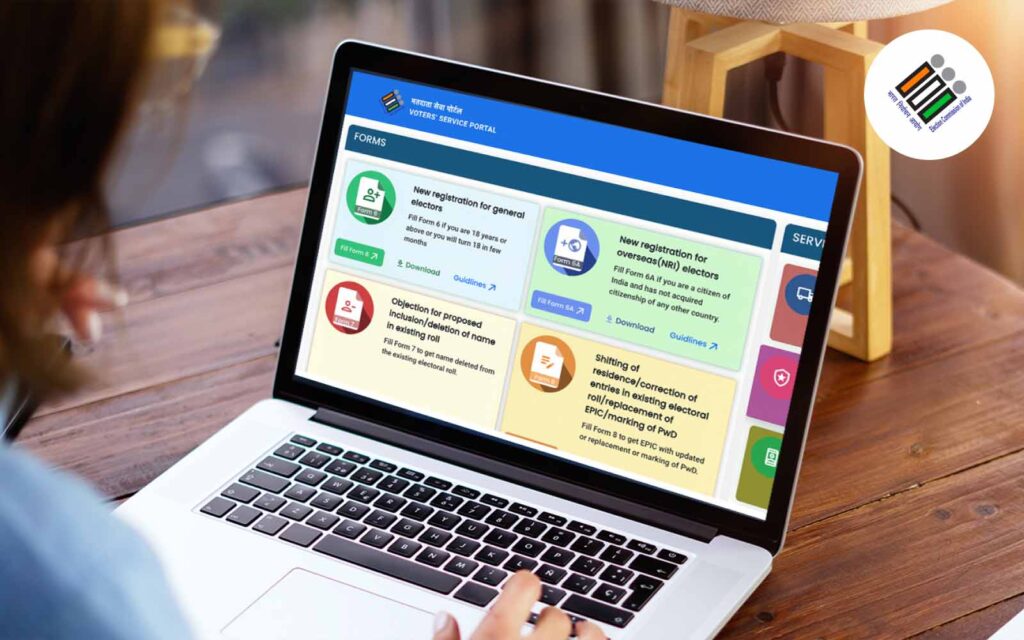
Getting your Voter ID card in 2026 is easier than ever. Whether you are turning 18, moving to a new city, or registering for the first time, the Election Commission of India (ECI) allows citizens to apply online through the official Voters’ Service Portal.
The NVSP portal serves as India’s indispensable digital platform, simplifying voter registration, corrections, and access to essential electoral information for citizens. This guide offers a clear, step-by-step walkthrough on how to effectively use the portal, covering account registration, logging in, tracking applications, downloading e-EPIC, and making necessary corrections to your Voter ID. It ensures your voice is heard and participation in shaping the nation’s future is seamless.
The National Voter Service Portal (NVSP) serves as India’s premier digital platform for electoral services, simplifying voter registration and management for millions of citizens. This online hub allows you to conveniently apply for a new voter ID, update existing details, or verify your electoral information from anywhere.
By reading this guide, you will gain a clear, step-by-step understanding of how to effectively use the NVSP portal. You will be able to confidently register as a voter, track your application status, and make necessary corrections to your voter ID card, ensuring your active participation in democratic processes.
Understanding the NVSP Portal in 2026
The National Voter Service Portal (NVSP), launched by the Election Commission of India (ECI), is a crucial online initiative designed to provide a single point of access for all voter-related services. It aims to make the electoral process more transparent and accessible for Indian citizens, whether they are first-time voters or require updates to their existing records. This digital platform significantly reduces the need for physical visits to government offices, saving both time and effort.
NVSP acts as a comprehensive resource, offering information on polling stations, electoral rolls, and even details about Booth Level Officers (BLOs). Its user-friendly interface supports various applications, making it easier for eligible individuals to engage with their democratic rights. According to the ECI (2026), the portal has seen a 15% increase in user engagement for application submissions compared to the previous year.
The primary objectives of the NVSP portal are centred on enhancing voter participation and ensuring data accuracy across the electoral rolls. It serves as a bridge between citizens and the electoral system, providing essential tools for democratic engagement. The portal continuously updates its features to align with current digital governance standards.
- Simplified Voter ID Application: Offers a straightforward online process for new voter ID applications.
- Online Voter Registration: Enables eligible citizens to register from any location with internet access.
- Efficient Correction and Updates: Facilitates easy correction of errors and updates to voter information.
- Transparency: Provides readily accessible information on polling stations and election details.
- Overseas Voter Registration: Allows eligible Non-Resident Indians (NRIs) to register as voters.
- Application Tracking: Offers a system to monitor the status of voter ID applications.
- Awareness and Information: Serves as a resource for information on election processes and EVMs.
- Accessibility: Designed to be accessible to all eligible citizens, promoting inclusivity.
- Data Accuracy: Emphasises maintaining accurate voter data through citizen-led updates.
Key Services Offered by NVSP
The NVSP portal provides a broad spectrum of services designed to cater to various voter needs, ensuring a smooth and efficient interaction with the electoral system. These services range from initial registration to detailed electoral roll management and information access. Understanding these offerings helps you utilise the portal to its full potential.
Whether you need to register for the first time or make changes to your existing voter details, NVSP streamlines the entire process. The platform is regularly updated to incorporate new features and improve user experience, reflecting the ECI’s commitment to digital governance. For instance, the portal now integrates with Aadhaar for optional identity verification during certain application types, as per ECI guidelines (2026).
| Service Type | Primary Use Case | Typical Processing Time (2026) |
| New Voter Registration (Form 6) | First-time voters or shifting constituency | 30-45 days |
| Correction of Entries (Form 8) | Updating name, address, photo, etc. | 15-30 days |
| Deletion/Objection (Form 7) | Removing names from electoral roll | 20-35 days |
| e-EPIC Download | Digital copy of Voter ID card | Instant, post-approval |
Common Confusion: Misconception about Voter ID Application Fees
Misconception: Applying for a Voter ID card or making corrections on NVSP costs money. Correction: All services related to voter registration, corrections, and e-EPIC downloads on the official NVSP portal are completely free of charge. There are no hidden fees.
Here’s how to register your account on the NVSP portal:
Step 1: Visit the official NVSP Website: Open your web browser and go to the official National Voter Service Portal website.
Step 2: Locate Registration/Login: On the homepage, find and click the “Registration/Login” option, usually located in the top right corner.
Step 3: Provide Required Information: Enter your active mobile number, create a secure password, and confirm it by re-entering it.
Step 4: Complete CAPTCHA and Request OTP: Fill out the displayed CAPTCHA characters to prove you are not a robot, then click the “Request OTP” button.
Step 5: Enter OTP: Retrieve the One-Time Password sent to your mobile number and enter it into the designated field on the website.
Step 6: Complete Registration: After successfully entering the OTP, your registration process is complete, and you are now a registered user on the NVSP portal.
Here’s how to search for your name in the electoral roll:
Step 1: Visit NVSP: Go to the official NVSP website.
Step 2: Select Search Option: On the homepage, choose “Search in Electoral Roll.”
Step 3: Choose Search Method: Decide whether to search using your EPIC number or personal details (Name, Father’s/Husband’s Name, Age/DOB, State, District, Assembly Constituency).
Step 4: Fill Details: Enter all requested information accurately based on your chosen search method.
Step 5: Enter Verification Code: enter the CAPTCHA code displayed on the screen.
Step 6: Initiate Search: Click the “Search” button to view your electoral roll details.